Floor plans and media
Display supplied images, videos, virtual tours, PDF plans or 3D plans for a unit or common area.

Unit Explorer features
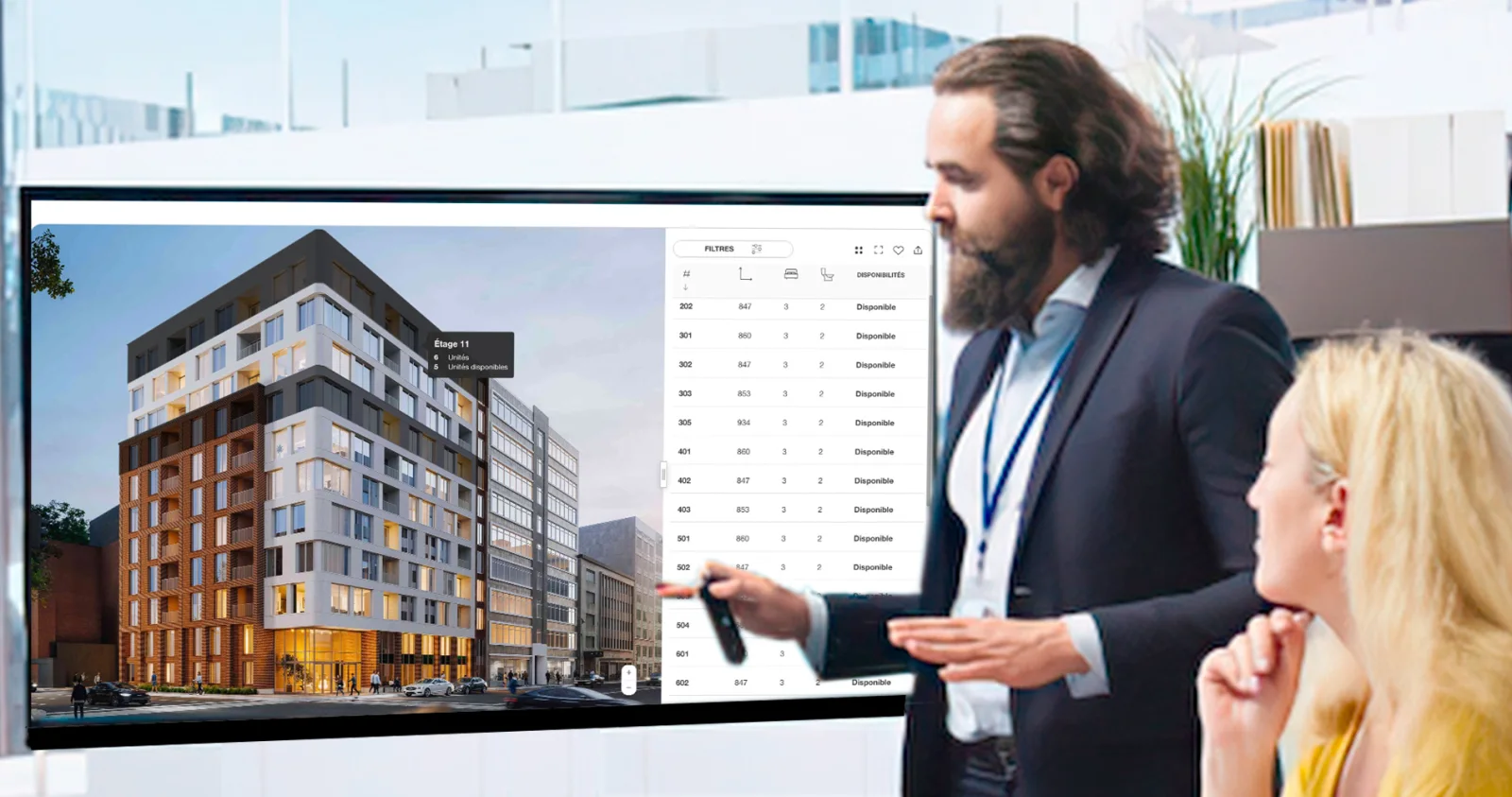
Smart Condo Plans presents buildings, floors, units, floor plans, prices and availability on the project website. Your team updates the information and sees which units receive the most attention.
Explore
Visitors can easily compare units by location, features, price and availability to find the one that matches their criteria.
Available capabilities
Available features depend on the project, supplied media, website and tools your team uses.
Display supplied images, videos, virtual tours, PDF plans or 3D plans for a unit or common area.
Help visitors search by bedrooms, bathrooms, price, dimensions, balcony area, workspaces, status and other available criteria.
When configured, a reservation request can include the selected unit and relevant payment information for your team.
Visitors can save preferred units and, when configured, collect favorites from several projects by the same developer.
Present the unit list, project rendering or both so the search experience matches the content available.
Combine condos, apartments, lots or commercial spaces for sale or rent in one selector when the project requires it.
Structure public pages and information so search engines can discover them; indexing depends on the selected integration.
Use a unique URL for a unit or filtered selection to direct a campaign to a specific offer.
Depending on the selected integration, send inquiries and the unit viewed to your CRM or follow-up tools.
Add, change or remove information as the project moves through its marketing stages.
Add criteria such as furnished units, river views or a promotion.
Hide filter options that no longer match available units.
Assign projects to the appropriate people and grant access that matches their role.
Manage your real estate portfolio
Depending on their access, your team can update the status, price, availability, features, floor plans and media shown to visitors.
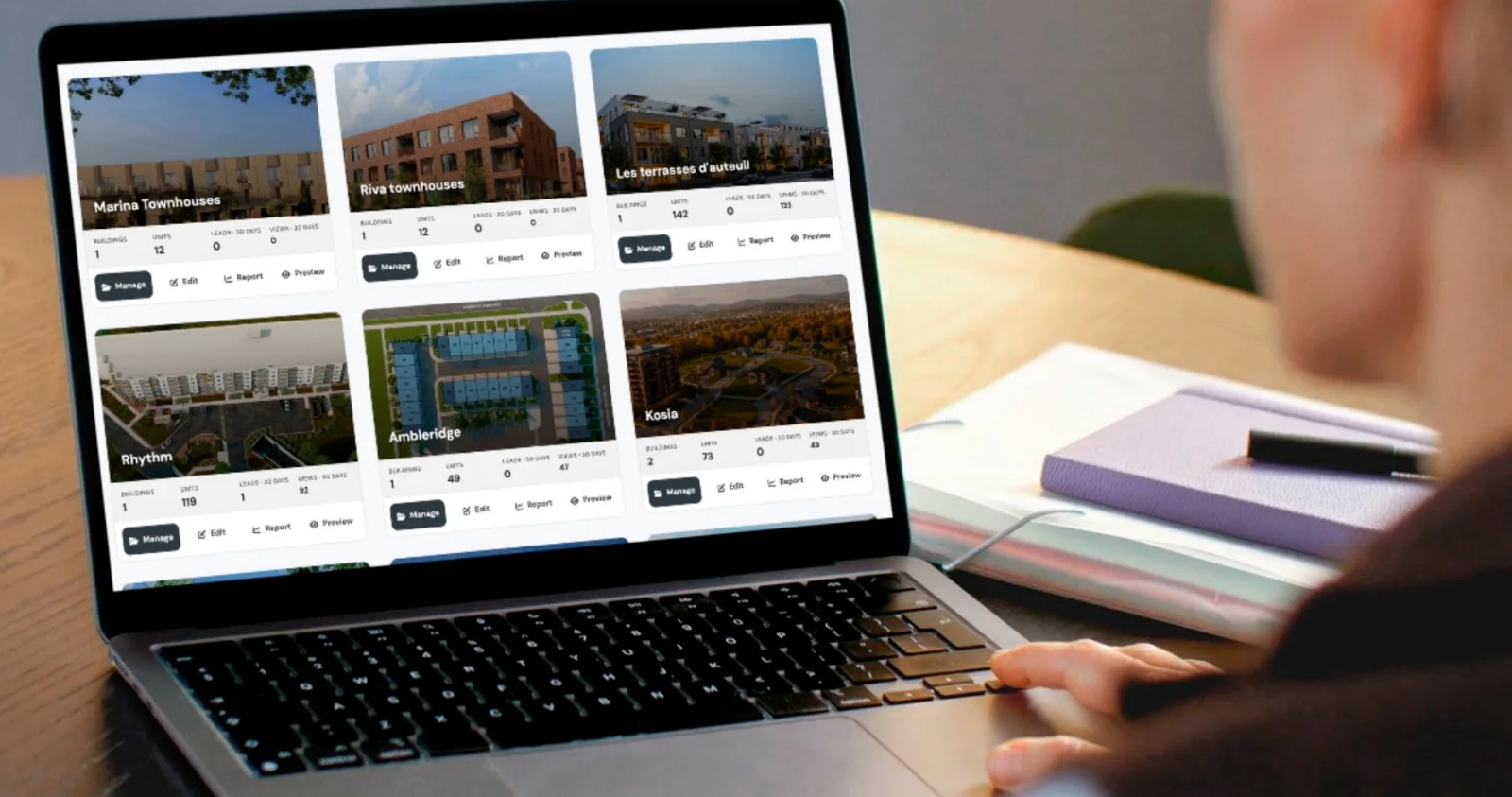
Update status, pricing, availability dates, features, floor plans and media.
Present one building, several buildings, different phases or other types of spaces.
Connect buildings, floors and units to the right areas on floor plans or renderings.
Choose the filters, media and actions visitors see as the project moves through sales or leasing.
Inquiries and favorites
A visitor who just opened a unit should not have to explain everything again in an inquiry.
When enabled, the contact form can identify the unit viewed for the sales or leasing team. Favorites also let visitors save and compare units, including across several projects when that option is enabled.
The team immediately knows which unit interests the visitor.
Visitors can return to, compare or share the units they saved.
The team responds with the page and unit already identified.
Analytics
Depending on the project, the Analytics Dashboard can show unit views, favorites, inquiries and trends.
Monthly Analytics Reports make the results easy to share with the teams involved.
Flexible project structures
Smart Condo Plans can present one building, several phases or multiple projects with clear navigation, filters and information.
See real projectsPresent floors, units, floor plans, prices and availability for a for-sale project.
Show apartment availability, move-in dates, rents and the features visitors need when searching for a home.
Adapt the navigation and information to the lots or spaces being offered.